Finance Hub
Finance Hub for Finance Leads
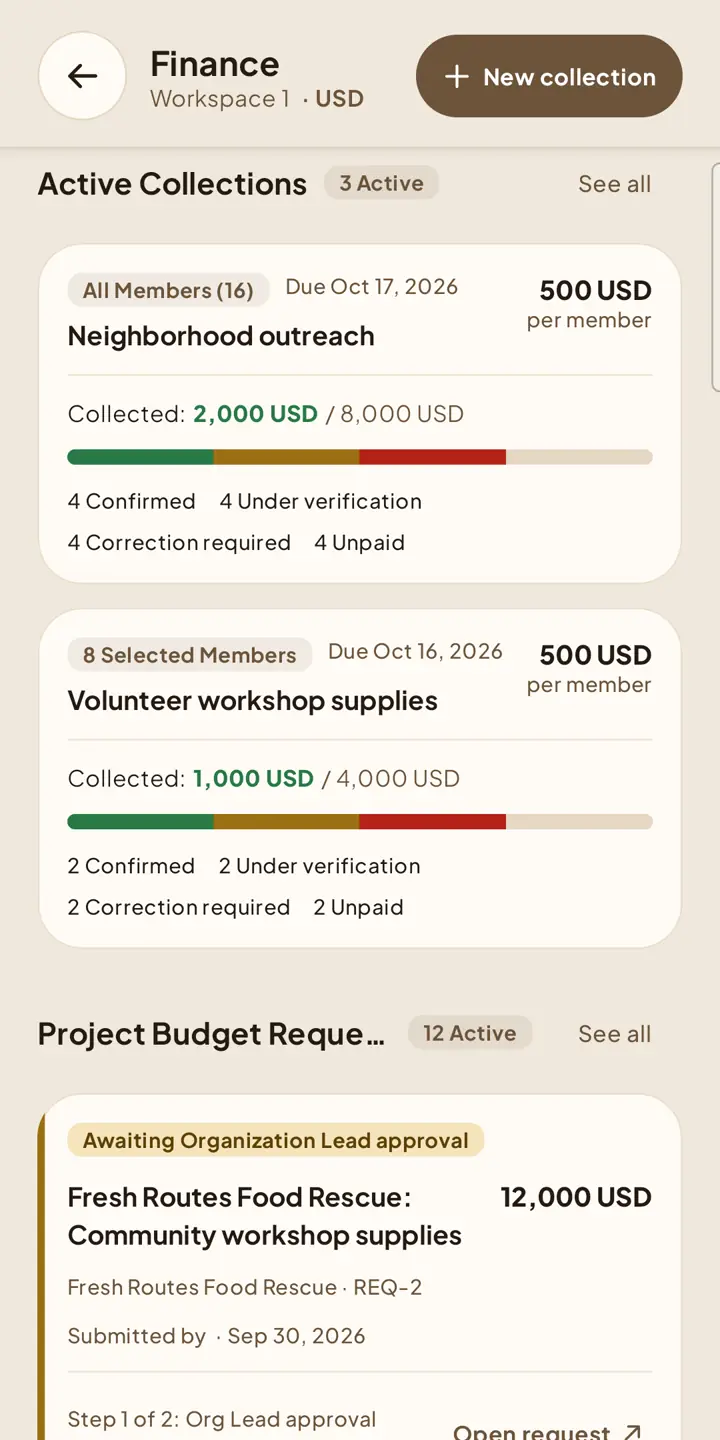
Create collections, review payment proof, and work through project budget queues.
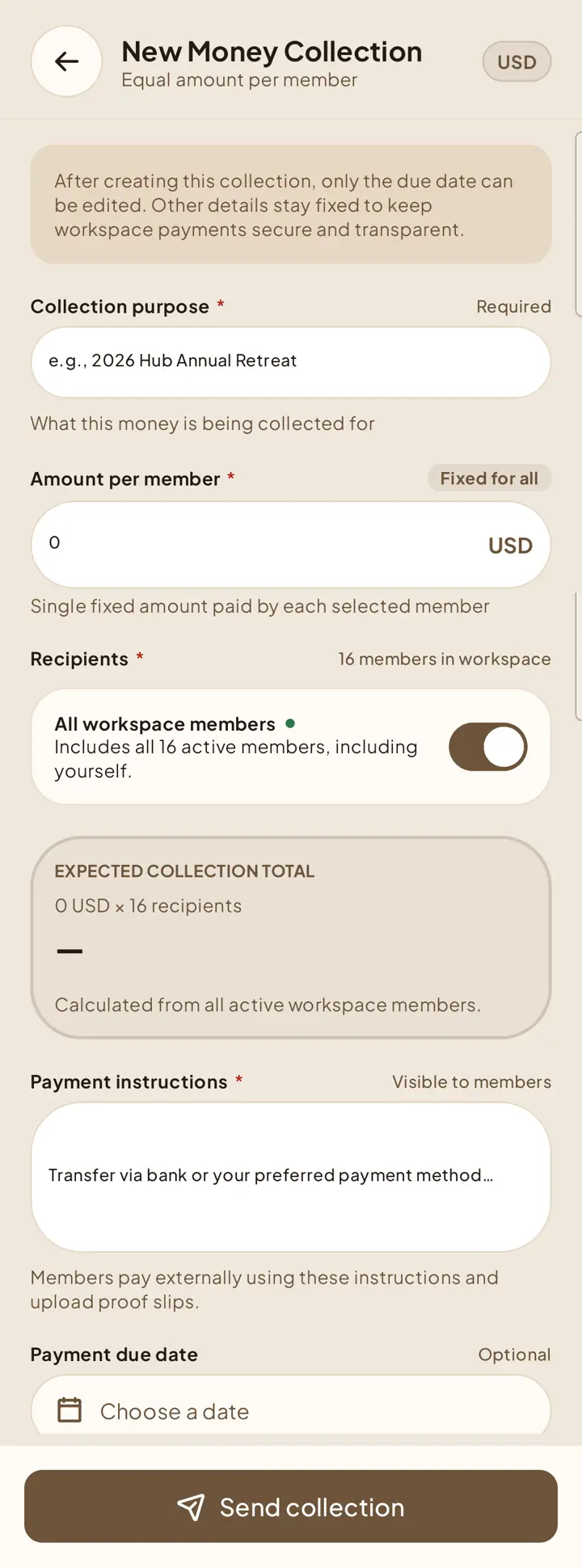
Create a collection
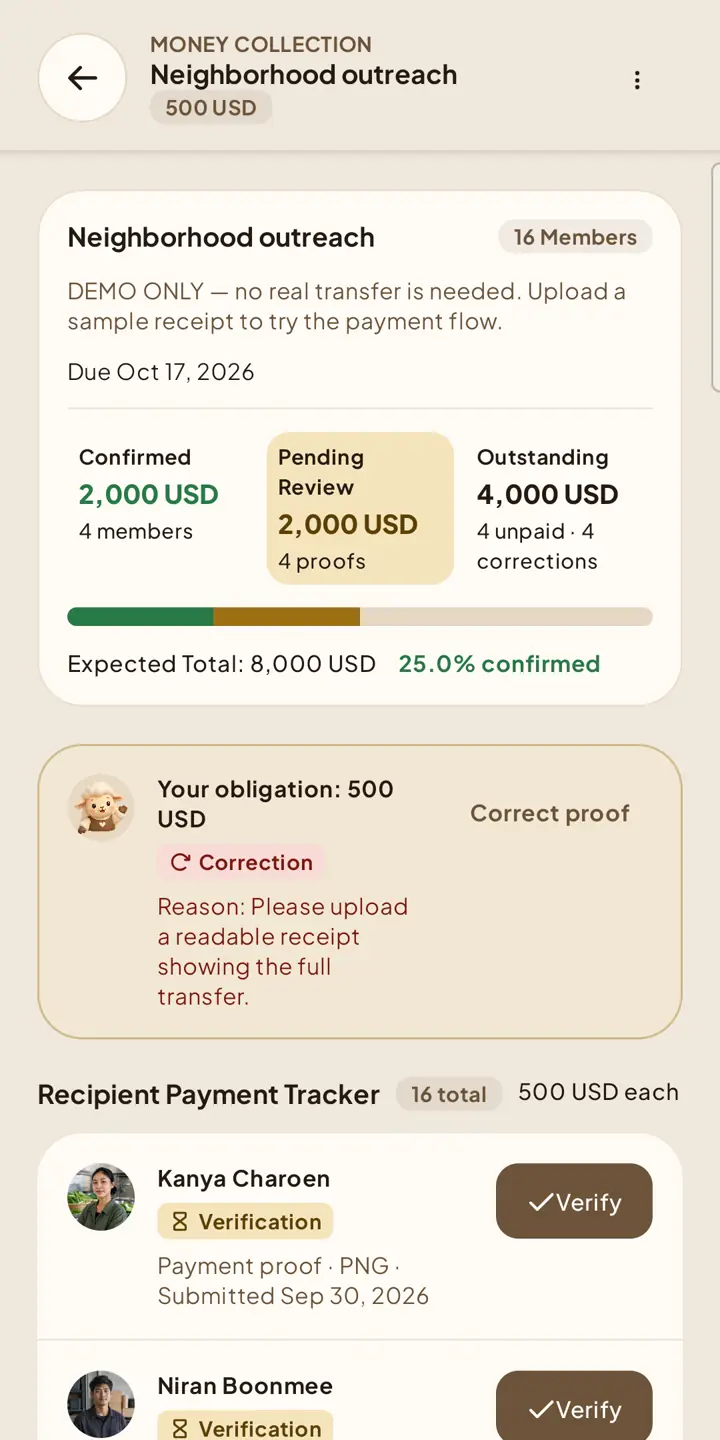
Review member proof
6Open an active collection and find a recipient awaiting verification in the Recipient Payment Tracker. Open the submitted proof, then approve it or reject it with a reason. Finance Leads cannot review their own payment unless the strict combined-lead exception shown by Shapers applies.
Manage active collections
Authorized leads can edit the due date or stop a collection. Stopping preserves recipients, evidence, pending reviews, and confirmed history but removes future member submission actions.
Project budget queue
7Finance Hub also shows submitted project budget requests that you have permission to view or act on. Opening a request takes you to the project’s budget workflow, where the same approval order and evidence requirements apply.