Workspaces
Set up workspace rules
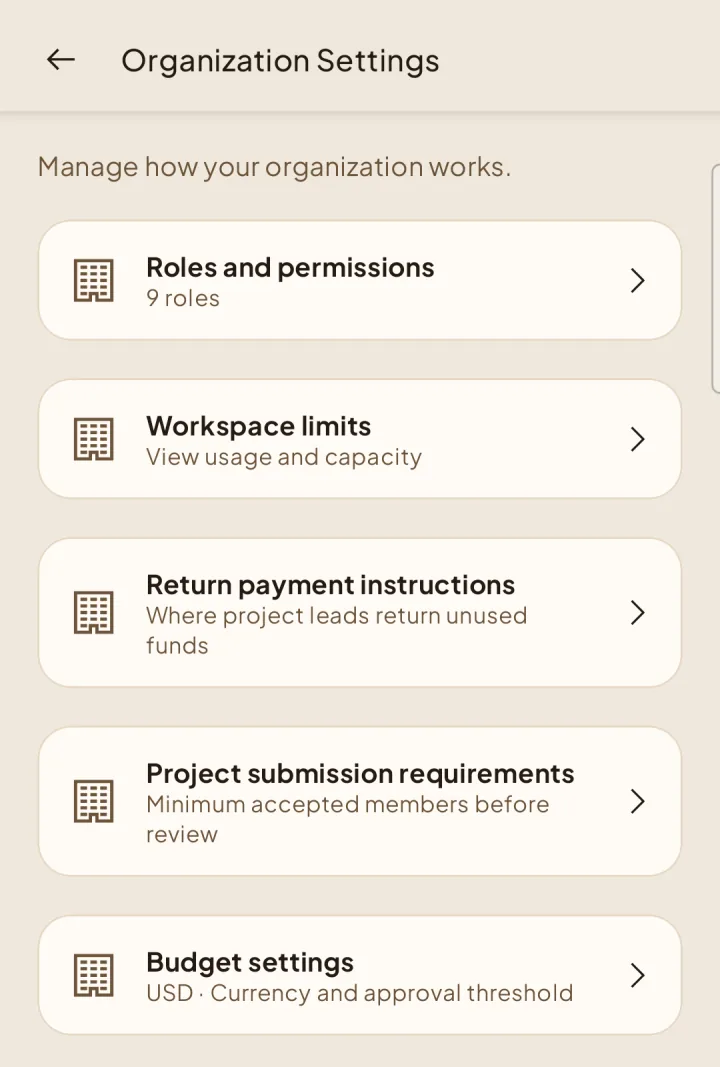
Manage roles, plan limits, project requirements, and budget rules.
Roles and permissions
1Open Settings → Roles & permissions. Create or edit a custom role, choose its permissions, and save. Locked permissions for built-in leadership roles cannot be changed.
Workspace limits
2Open Workspace limits to check your trial or subscription capacity and current usage. Limits cannot be edited here.
Project submission requirements
3Set how many accepted members a project needs before review. Each submission uses the requirement in place when it is submitted.
Budget settings
4Choose the workspace currency and the amount that requires both Organization and Finance approval. Submitted requests keep the rules they were submitted with.
Return payment instructions
5Explain how Project Leads should return unused funds. Save separately from Budget settings. Changes apply only to requests not yet submitted.