Members
Grant or revoke roles
Change what a workspace member is responsible for without editing the role itself.
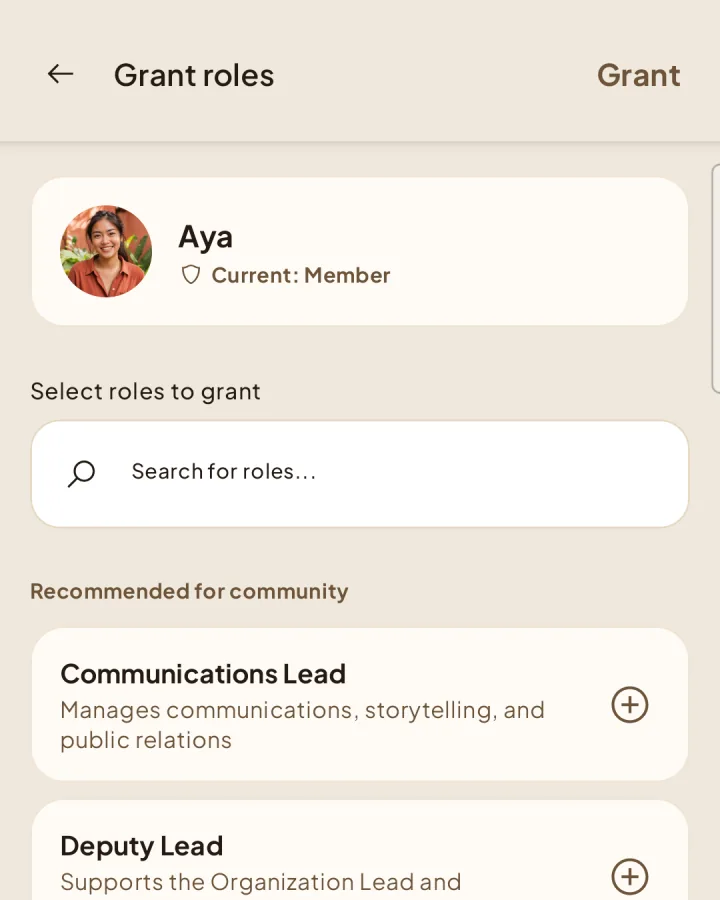
Grant a role
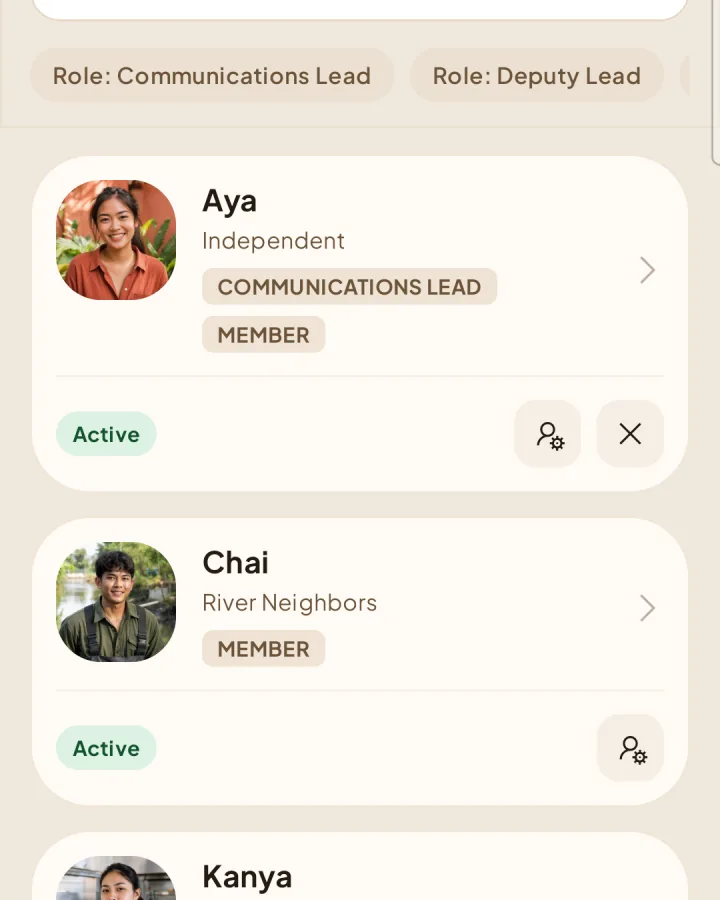
Open Members and find the person.
1Press the Grant roles icon beside the member.
Select one or more available roles and confirm.
Revoke a role
2Press the Revoke roles icon beside the member. This button appears only when the member has at least one role you are allowed to remove.
Select the roles to remove.
Review the warning and confirm.
Protected responsibilities
Shapers blocks changes that would leave required workspace or project responsibilities unassigned. The Project Lead role is tied to a specific project and has a separate process for transferring responsibility.